Let your AI agent
fill out your forms.
Give Claude, ChatGPT, Muse or any agent the Formwell skill. Hand it a PDF and it reads every box, fills in what it already knows about you, asks only what's missing, and hands back a finished PDF. Even the government forms that only say “Please wait…”
Say this to your agent:
Learn the Formwell skill at https://form.mycli.tools/skill.md and use it whenever I give you a PDF form.Add a custom connector with this URL:
https://form.mycli.tools/mcpRun this in your terminal:
claude mcp add --transport http formwell https://form.mycli.tools/mcp- Free, no sign-up
- Your agent does the thinking
- Your info stays with your agent
Works with Claude, ChatGPT, Meta Muse, Claude Code, Cursor and any MCP client.
- Passport renewal
- Rental application
- Canada Child Benefit
- IRS W-9
- Driver's licence renewal
- School registration
- Work permit extension
- Employment insurance
- Medical history
- Visitor visa
- Power of attorney
- PR card renewal
- Small claims filing
- Benefits enrolment
- Record suspension
- Tax return schedules
One real form, start to finish
137 boxes.
You answered two questions.
Your agent already knew the rest. Scroll to watch it land on Canada's passport renewal form, one of the government forms most PDF tools can't even open.
filled in
- Name, exactly as on your last passport
- Travel date: not booked yet
- Place of birth
- Date of birth, sex, eyes and height
- Home address, across six boxes
- Email and phone
- Old passport number and dates
- Send my old passport back
- 10-year passport
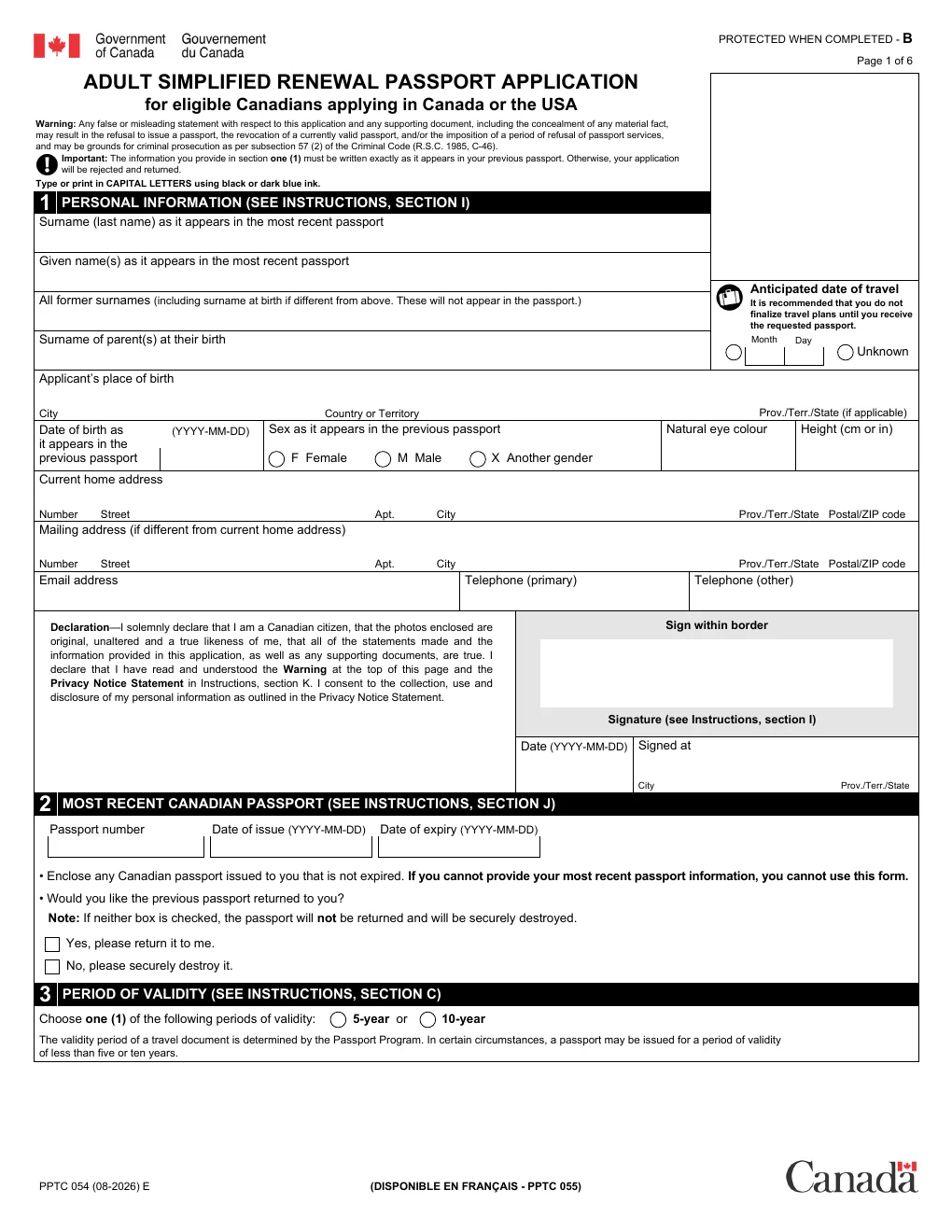
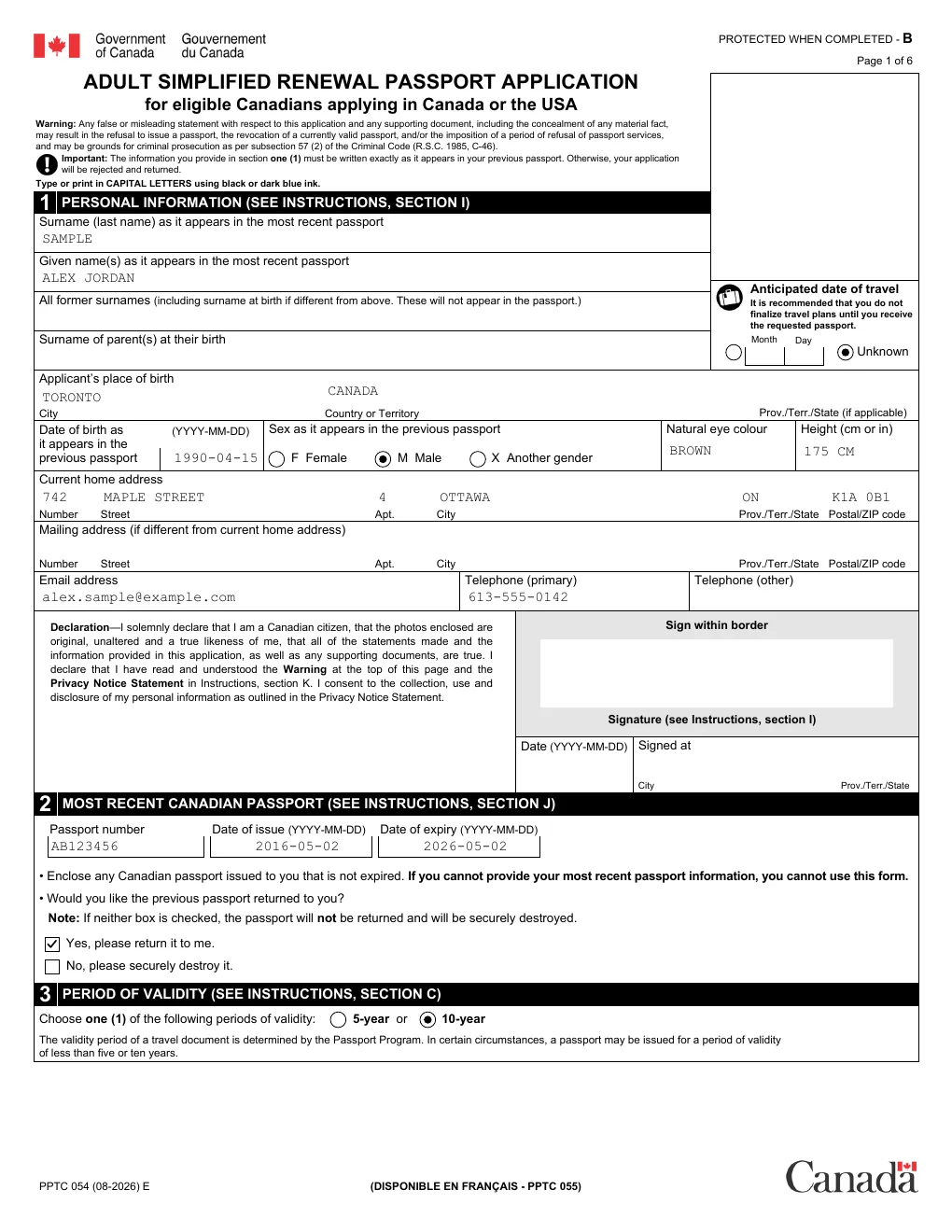
Three steps. One of them is yours.
Hand it the form
A link or the file itself. Immigration, tax, court, benefits, school, job applications: if it's a PDF form, Formwell reads it.
Answer what it doesn't know
Your agent fills in what it already knows about you and asks the rest in plain words, skipping the questions that don't apply.
Get the PDF
Filled, ready to print or send, signed if you want. It opens the same everywhere, or stays editable for Adobe Reader.
Why your agent needs this
Most government forms are built in Adobe LiveCycle (XFA). Open one anywhere but Adobe Reader, and that includes your AI, and all you get is a page asking you to wait. Formwell lays the real form out, finds every box with the words printed beside it, and writes a PDF that works everywhere.
If this message is not eventually replaced by the proper contents of the document, your PDF viewer may not be able to display this type of document.
Surname     text    Surname as it appears in your passport
GivenName   text    Given name(s)
DOBYear     text    Date of birth (YYYY-MM-DD)
Sex         radio   F Female / M Male / X Another gender
Prov        choice  AB / BC / MB / NB / … / ON / QC / YT
Choice      radio   Period of validity: 5-year / 10-year
… 137 fields in all
Rather do it yourself?
The same engine runs right here in your browser. Open a form, answer a few plain questions or click into the boxes, sign, and download.
Your PDF never leaves your device. Filling and signing run in this browser tab. Where your data goes
Guided fill Beta
The form's fine print turned into a few plain questions. Each answer fills in as you go, and you can save them so the next form fills itself.
Sign in seconds
Draw, type or upload your signature and drop it where it goes. Add text anywhere on the page too.
Two kinds of download
A signed copy that prints the same everywhere, or an editable one that still opens filled in Adobe Reader.
Where your data goes
- Through your agent: your agent sends the PDF to our server, which reads and fills it. No AI runs on our side: your agent's own model does the thinking, and what it knows about you stays with it, apart from the answers it puts on the form. Uploaded forms and filled copies are deleted after 24 hours. Each agent gets 150 calls a day.
- Filling and signing on this site happen in your browser. The PDF is never uploaded, and nothing you type into it is sent anywhere.
- Guided fill and AI fill on this site send the form's field labels (not the PDF) to our server and an AI model running on Cloudflare (Llama 3.3), which writes the questions; they're kept so the next person with the same form gets them instantly. Filling from your saved info also sends that info to match it up, and none of it is stored. Your saved info lives in this browser and nowhere else. We keep a daily count per IP address to rate-limit the beta, and a smaller AI checks each request is a real form; an IP address caught misusing it is blocked from AI fill for 7 days.